Your work hours, tracked automatically.
WiFi Time Tracker punches you in when you arrive and out when you leave — using the WiFi networks and locations you choose. No timers to start, no clock-in to remember.
Free to try · No account needed · Your data stays on your phone
How it works
Set it up once, then forget about it. Tracking runs quietly in the background.
Create a tracker
One for each workplace or client — for example Office, Client A, Workshop.
Pick WiFi networks or map areas
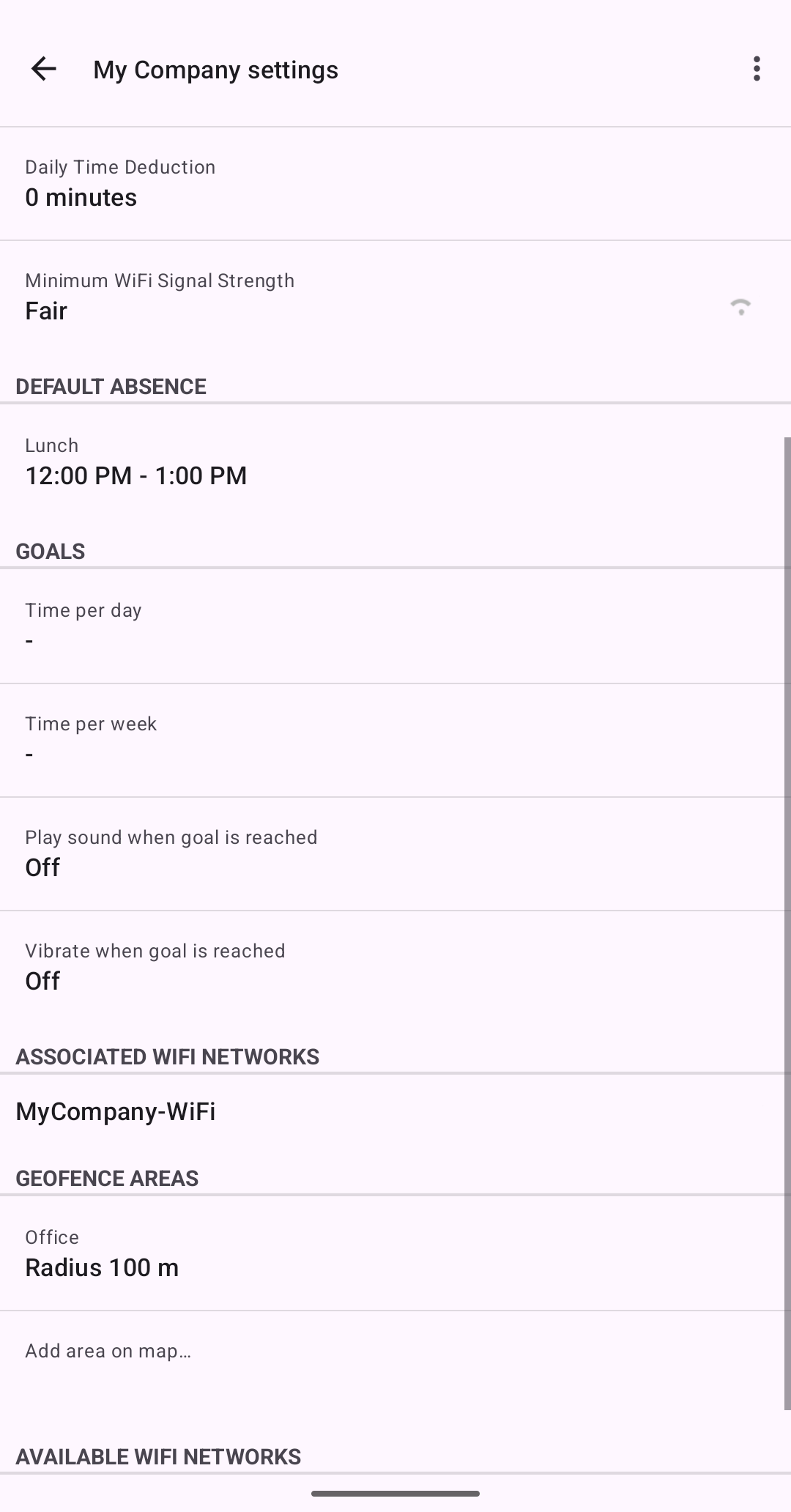
Link the tracker to nearby WiFi networks, draw circles on a map — or combine both.
Time tracks itself
Within range? You're punched in. Left for the day? Punched out. Review your day and week whenever you like.
Two ways to track — pick either, or both
Every tracker can watch for WiFi networks, location areas, or a combination. Each method has its strengths.
WiFi tracking
Presence detection with indoor precision.
- Pinpoint accuracy indoors — WiFi range is short, so being in range of the office network means you're actually at the office, not just near the building.
- No connection needed — the network only has to be visible. Works with guest networks or networks you don't have the password to.
- Extremely battery-friendly — quick scheduled scans, no GPS involved.
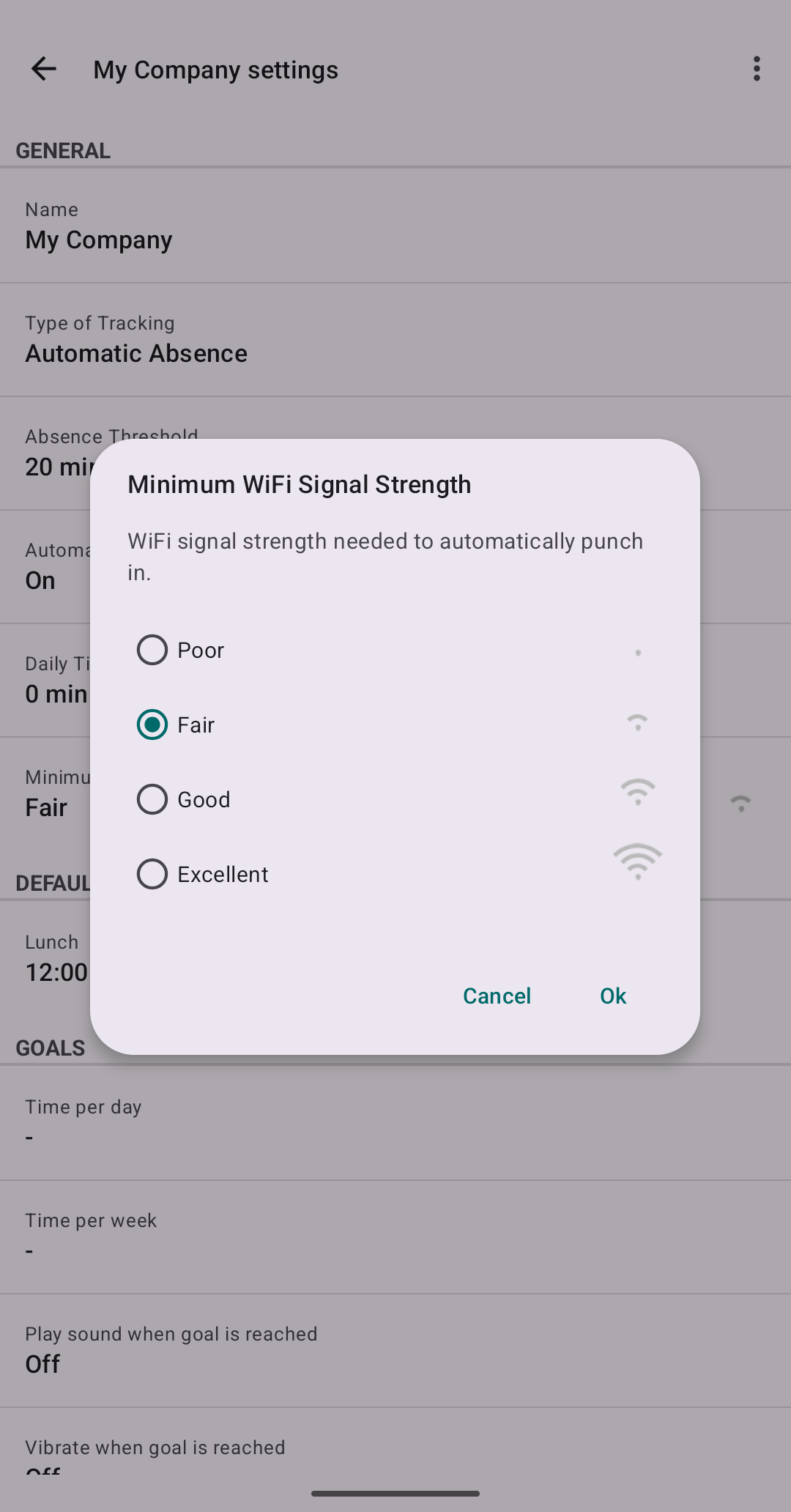
- Tunable per tracker — set a minimum signal strength so a faint signal from the café next door doesn't count.
- One network, every office — if your company's WiFi has the same name at all sites, a single tracker covers every office automatically.
Best for: offices, co-working spaces, workshops — anywhere with WiFi.
Location areas
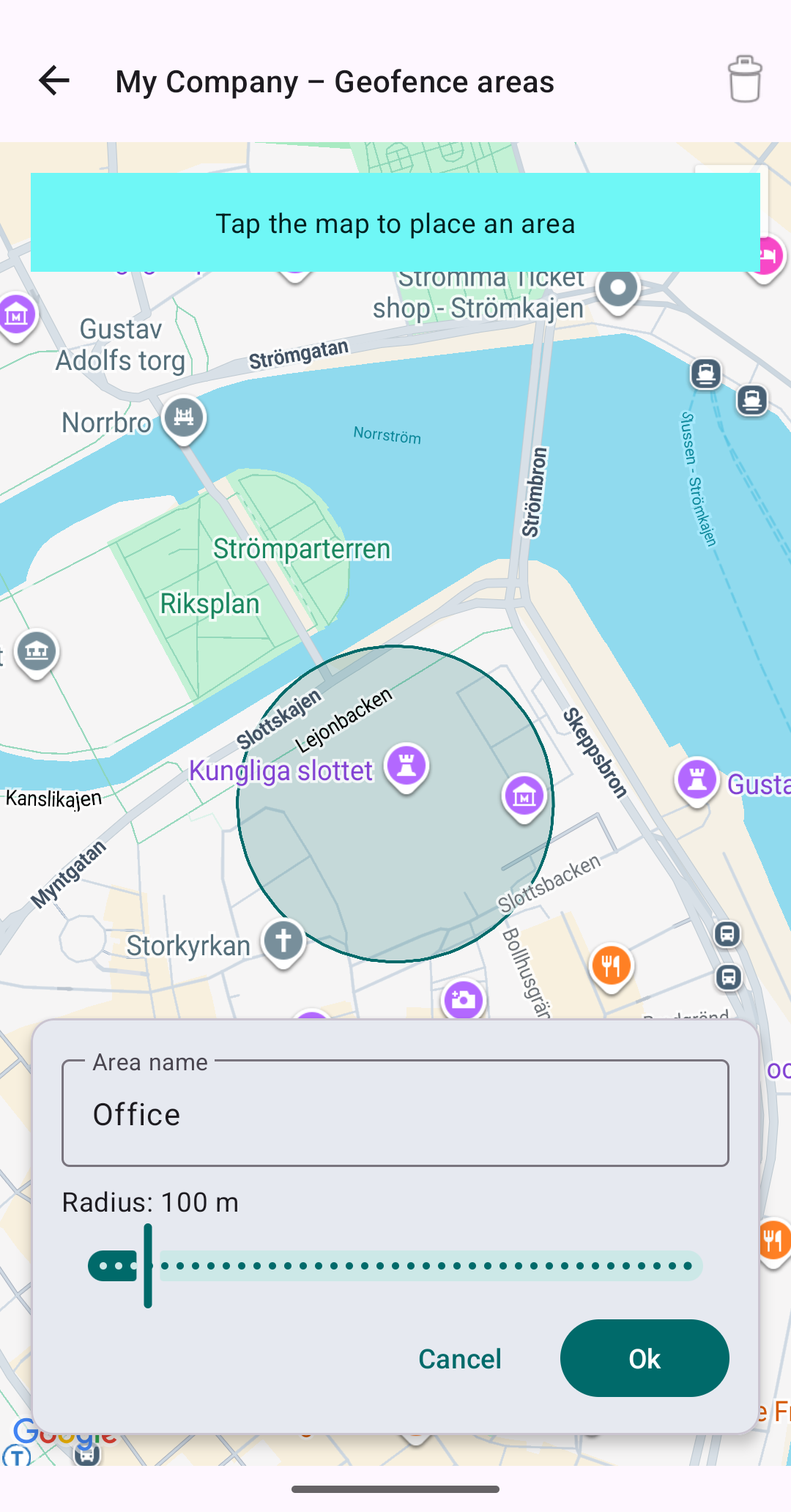
Draw a circle on the map — that's your workplace.
- Works anywhere — construction sites, outdoor jobs, client visits: no WiFi required at the location.
- Works with WiFi off — tracking continues even if you switch WiFi off entirely.
- You choose the size — circles from 25 m up to 1 km, drawn and adjusted right on the map.
- Reacts on arrival — punches you in the moment you enter the area.
Best for: construction sites, field work, outdoor jobs — anywhere WiFi can't reach.
Better together: add both to the same tracker — the WiFi network for precision indoors, a map circle as a safety net. Whichever spots you first punches you in.
Features
Built for consultants, freelancers and anyone who needs reliable work-hour records without the hassle.
Multiple trackers
One tracker per client or workplace, each with its own networks, areas and settings — switch offices all day and every hour lands in the right place.
Daily & weekly overviews
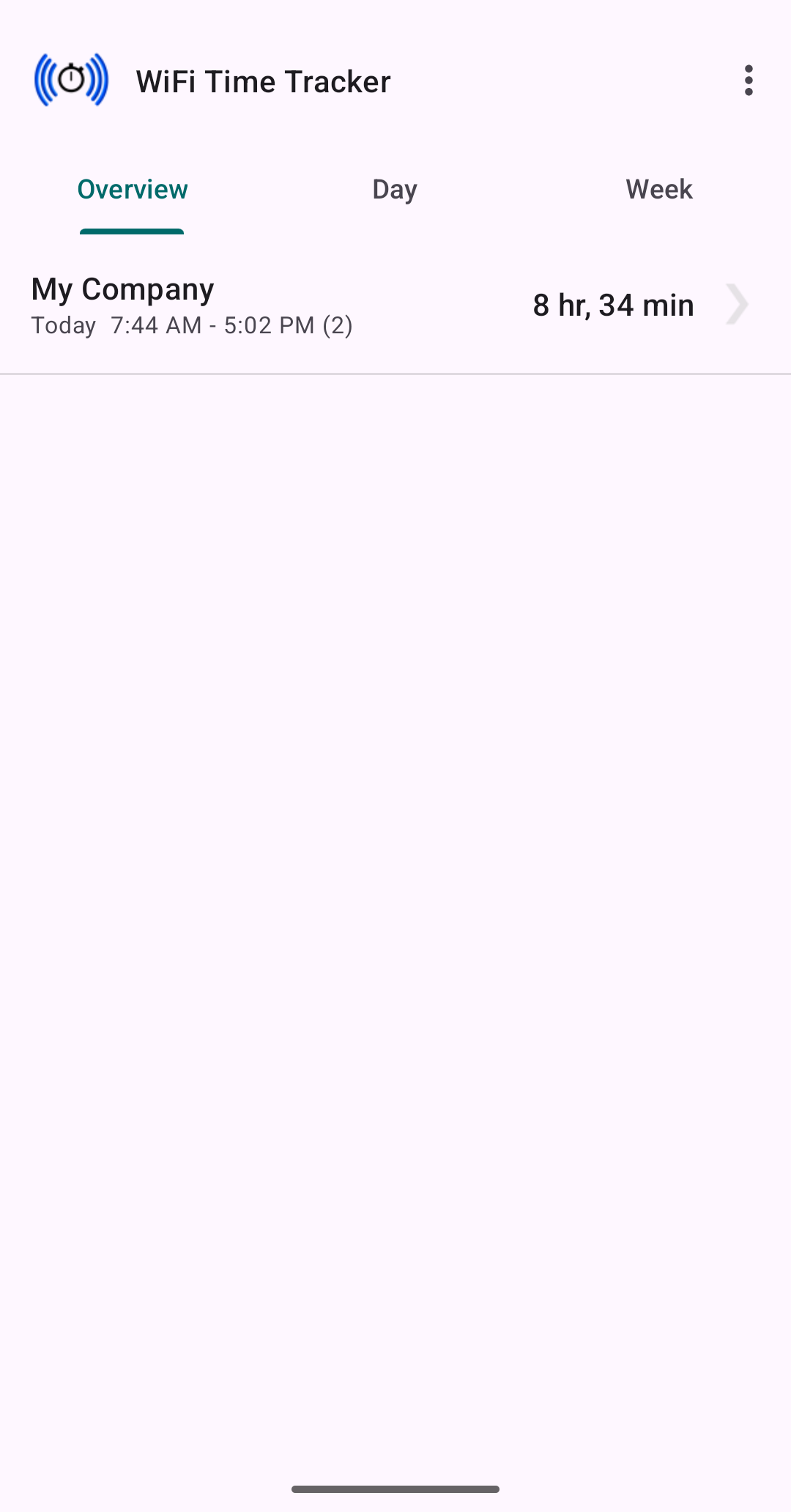
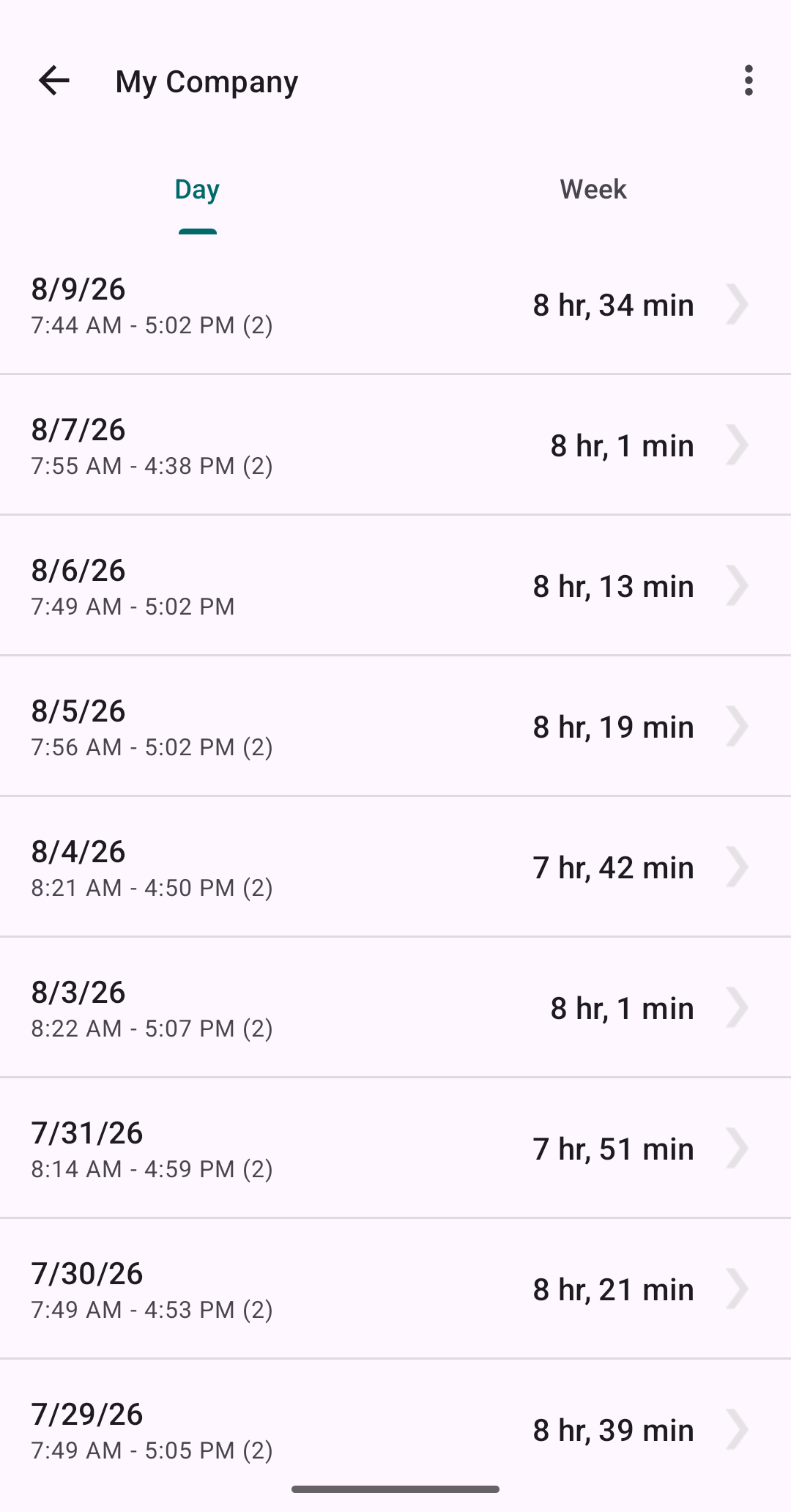
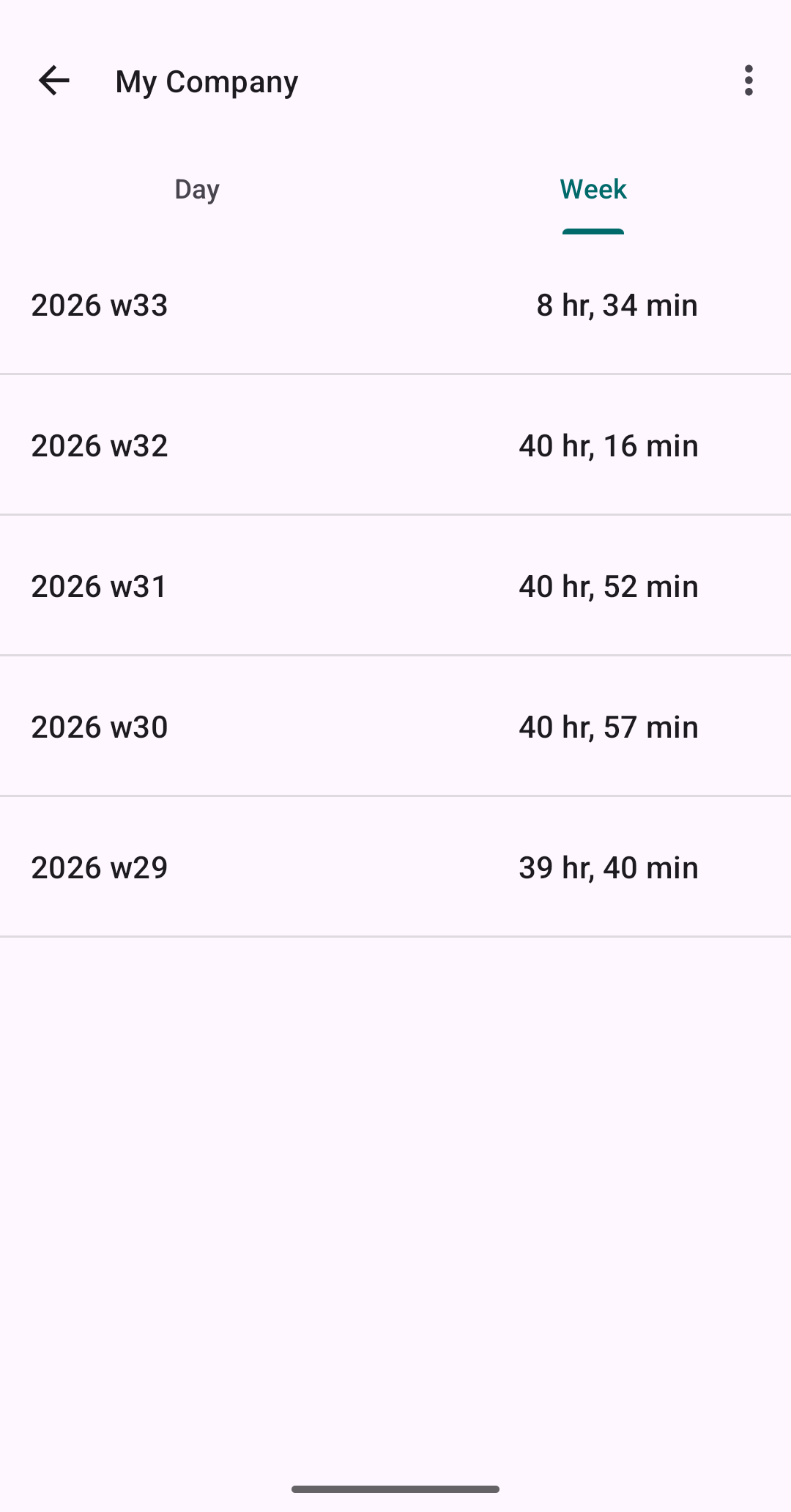
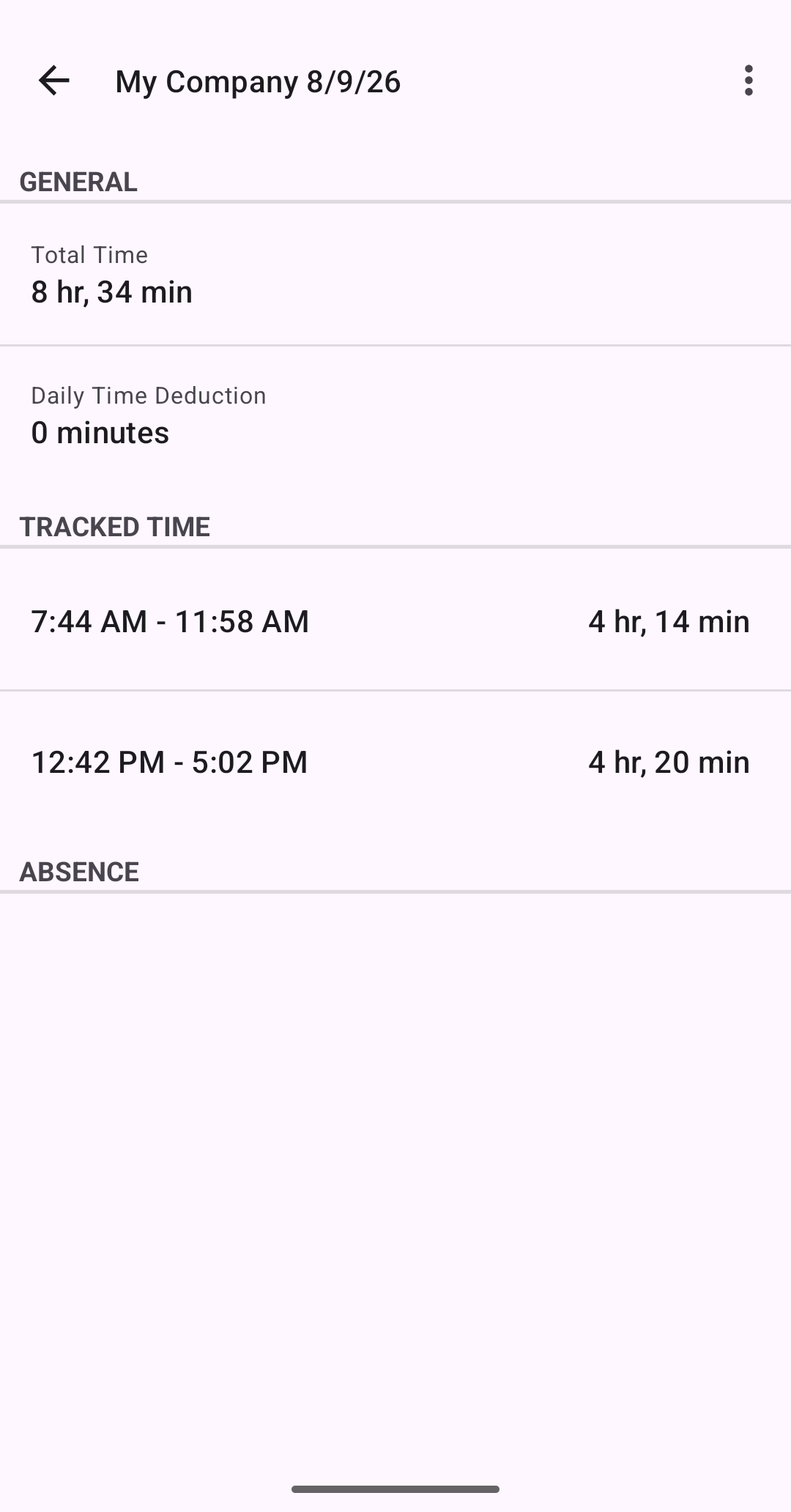
Clear day-by-day and week-by-week summaries across all trackers, with drill-down to every tracked interval.
Automatic absence detection
Advanced trackers spot gaps in your day — lunch, errands, appointments — and record them as absences. Adjust or add your own manually.
Excel-compatible export
Export tracked time as a CSV file and share it anywhere — email, Google Drive, OneDrive — ready for invoicing or reporting.
Backup & restore
Scheduled backups of all trackers and tracked time. Save to and restore from device storage or any cloud provider on your phone.
Dark mode & 21 languages
A refreshed Material design that follows your system theme, with the interface available in 21 languages.
Private by design
No account, no sign-up, no cloud service. Everything is stored locally on your phone and only leaves it when you export or back up.
Easy on the battery
Lightweight background checks on a schedule you control — designed to run all day without draining your phone.
Screenshots
A quick look inside the app. Scroll sideways to see more.
Pricing
Start free and see if it fits your workflow. Upgrade once — it's yours forever. No ads, no subscription.
Free
No ads, no time limit
- Automatic WiFi & location tracking
- Multiple trackers
- Daily overview and details
- Shows the last 7 days
- Weekly views
- CSV export
- Backup & restore
Premium
Pay once in the app — no subscription
- Everything in Free
- Full history
- Weekly overviews and details
- Excel-compatible CSV export
- Scheduled backup & restore
Frequently asked questions
Why does the app need location permission?
Android requires location permission for any app that scans WiFi networks — that's an operating-system rule, not our choice. The "Allow all the time" (background) permission is what lets tracking work while the app is closed. Your location is only used on your phone to decide whether you're at work; it is never uploaded anywhere.
Do I need to be connected to the WiFi network?
No. The app only checks whether the network is in range with sufficient signal strength. You never need to actually connect to it.
What if my workplace has no WiFi?
Use a location area instead: open the tracker's settings, draw a circle on the map (25–1000 m radius), and tracking starts whenever you're inside it. You can combine WiFi networks and location areas on the same tracker.
Why does the app ask to ignore battery optimization?
Modern Android aggressively pauses background apps to save power. Since automatic tracking is the whole point of this app, it asks to be excluded from battery optimization so tracking doesn't silently stop. The app is designed to be very light on the battery regardless.
Where is my data stored?
Locally, on your phone. There is no account and no cloud service behind the app. Data only leaves your phone when you choose to export a CSV file or save a backup somewhere.
I used the original WiFi Time Tracker — is this the same app?
Yes — version 2.0 is a relaunch of the original app by the same developer, modernized for current Android versions and published as a new Play Store listing. If you have a backup from the old app, you can restore it in the new one.